Run the shop.
Not the paperwork.
Estimates, build tracking, payments, and a client portal — purpose-built for custom furniture makers, on the desk and in your pocket.
Retire the spreadsheet.
Most shops run on texts, sticky notes, and a spreadsheet with 14 tabs. It works — until it costs you a job.
- Photos of the slab buried in a text thread
- “Did they ever pay the deposit?”
- Quote math redone from scratch every time
- The shop asking what to build next
- Every photo, note, and message on the job
- Deposits requested, paid, and reconciled
- Estimates priced from your rates and markups
- A task list on every builder's phone
Every job starts with the customer's own words
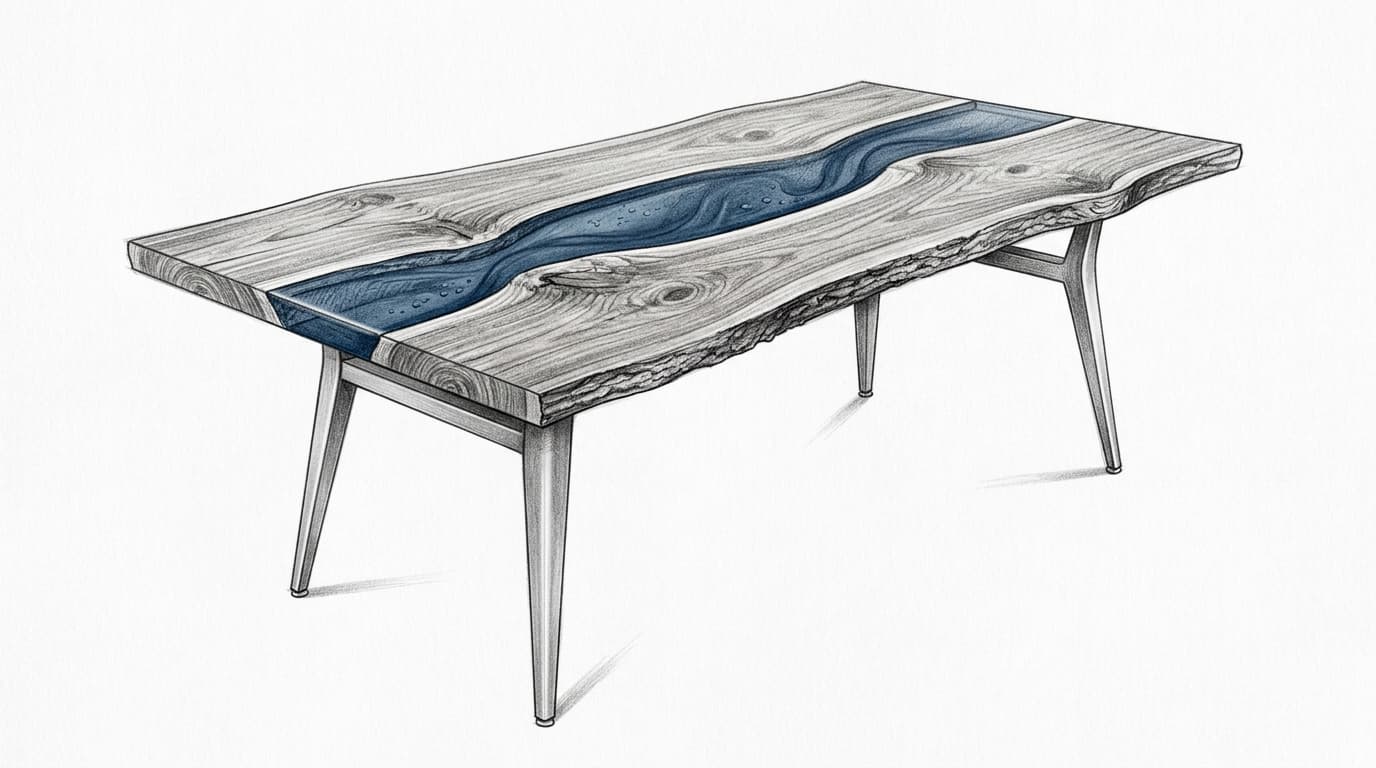
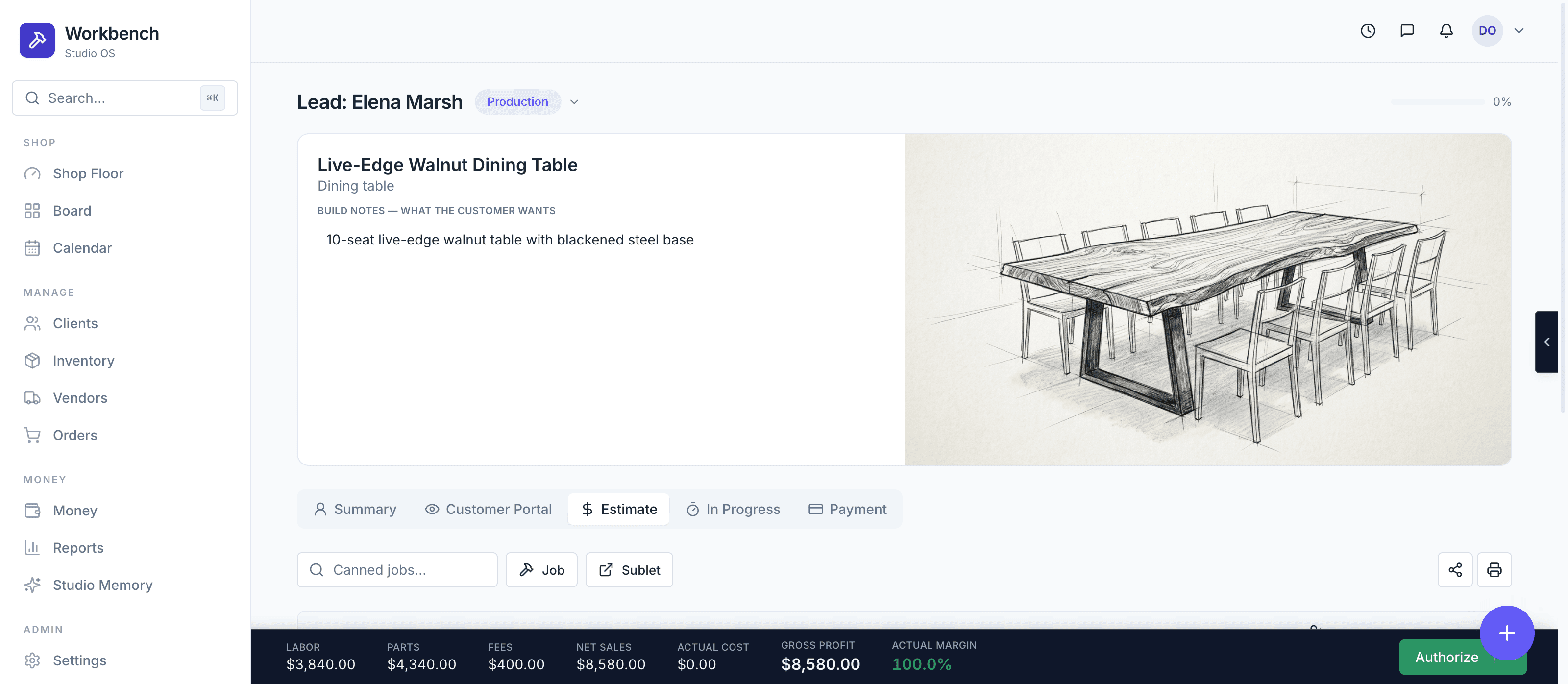
The inquiry lands on your board with the customer's request attached. One click turns their description into a concept sketch you can refine, share, and build the estimate around.
- AI concept sketches drawn from the inquiry
- Build notes, budget, and timeline on the job header
- Status pill and progress that follow the job everywhere
- Redraw with revision notes until it matches the vision
Quote it like a pro shop
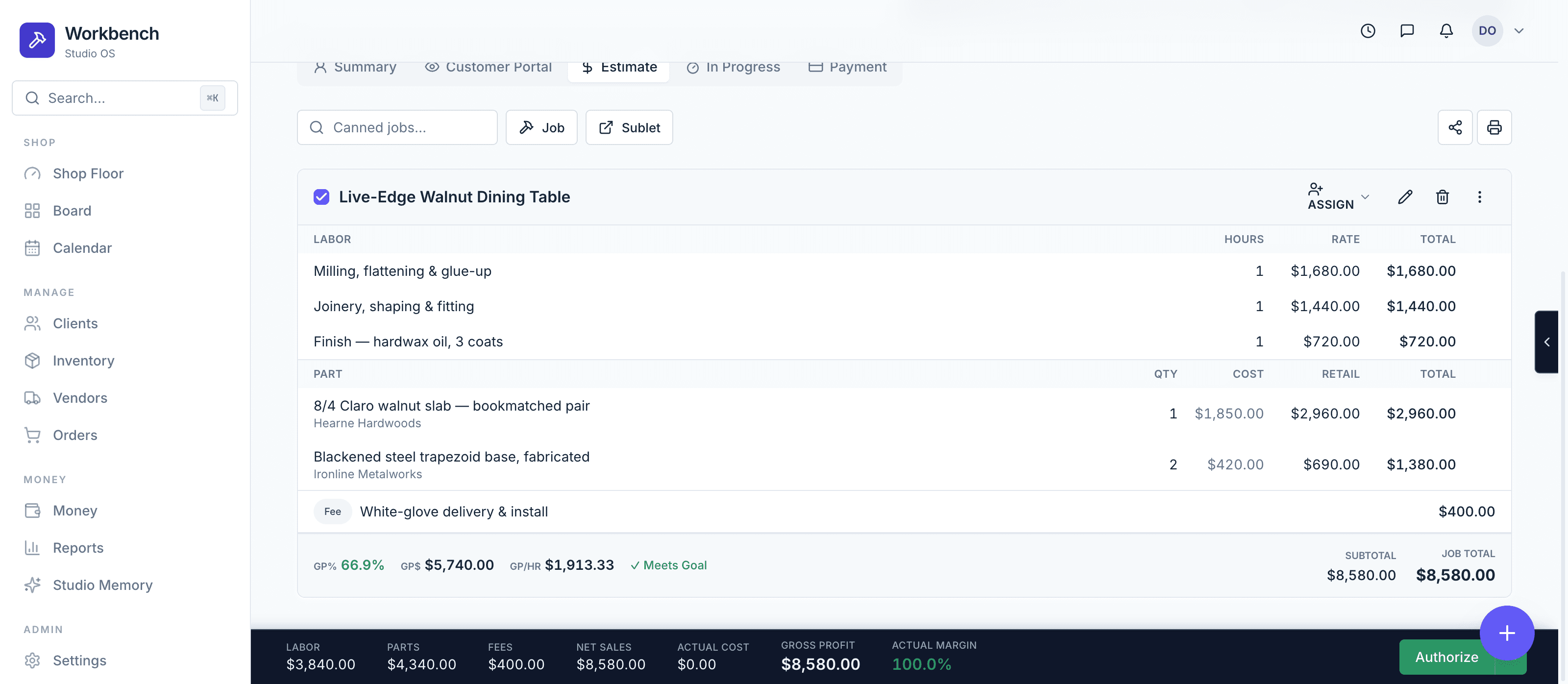
Build each job from parts, labor, fees, and sublets — pull from inventory or canned jobs, watch gross profit update as you type, and send it for authorization with one click.
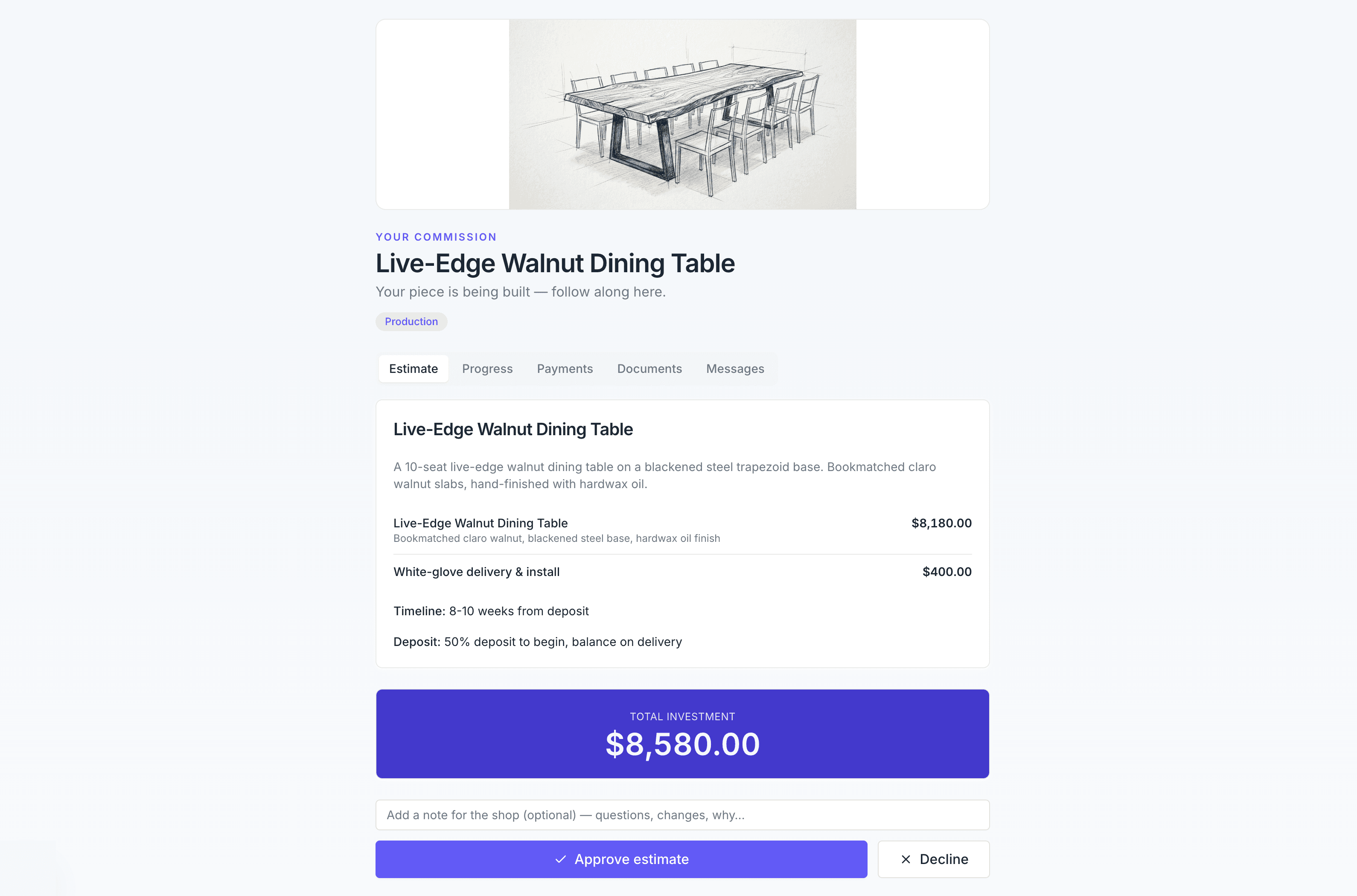
They approve from the couch. You get paid before the saw spins.
Send clients a private link — no password, no account. They review the estimate, approve it in one tap, pay the deposit, and follow progress photos while you build.
- Passwordless magic-link access
- Approve or decline the estimate in one tap
- Deposits and invoices paid right in the portal
- Progress photos you choose to share, with captions
The tools of a well-run shop
One board, every job
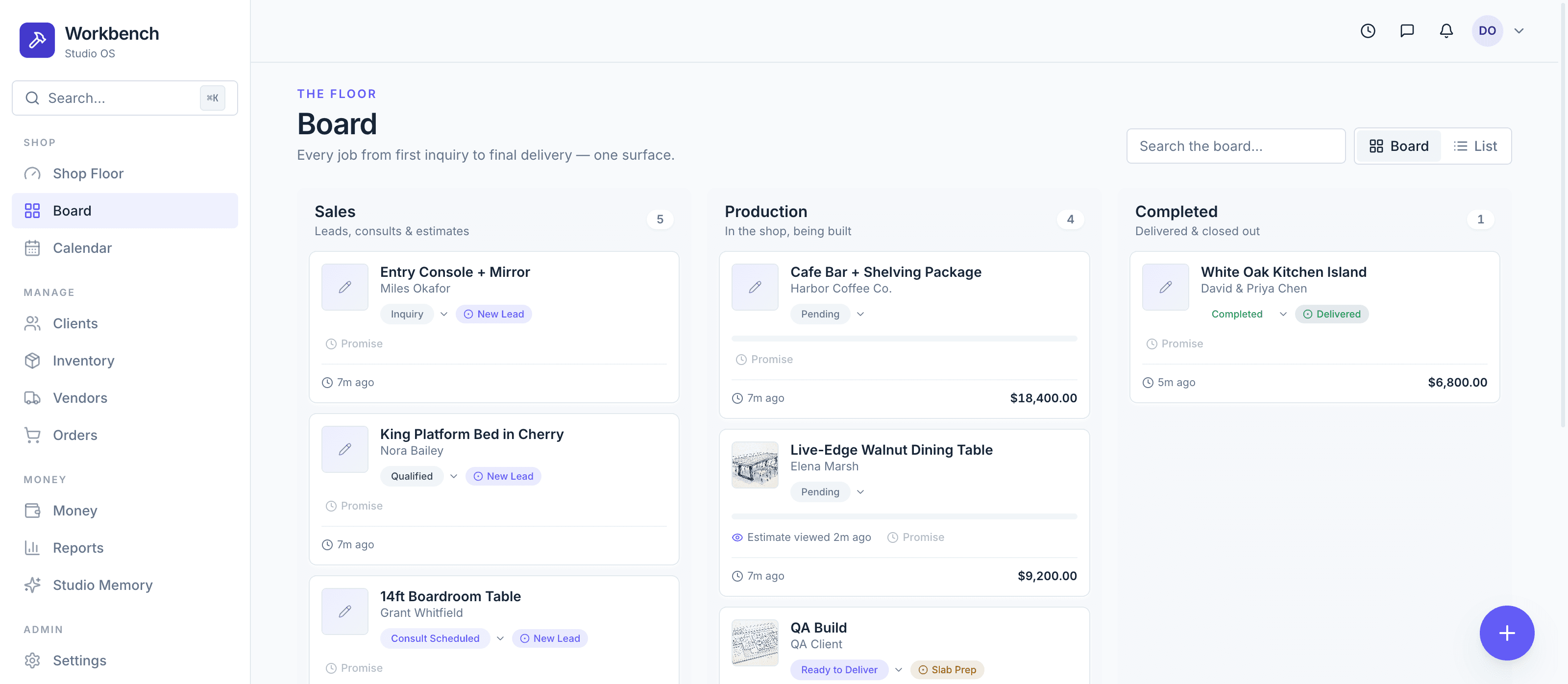
Sales, production, and completed — every commission from first inquiry to final delivery on a single board your whole shop reads at a glance.
Estimates built like work orders
Parts, labor, fees, and sublets on every job — with live gross profit, margin goals, and one-click customer authorization.
Shop-floor workflow
Every authorized job becomes a task list. Assign builders, attach progress photos and notes, and the front office sees it instantly.
A client portal that closes
Customers get a private link — no account — to review the estimate, approve it, follow build photos, and pay their deposit.
Know your numbers
Cost, gross profit, and margin on every build, plus a running profit bar on every estimate as you quote.
Reports that teach
Close ratio, effective labor rate, hours sold vs. presented, lead sources — the numbers that actually grow a shop.
Spend your hours at the bench, not the desk.
Workbench is opening to a first group of custom furniture shops. Get in line.